
For Student Disability & Accessibility Offices
Independent note-taking,
for every student.
The Ophaya Smart Pen pairs real handwriting with synced audio and free handwriting-to-text — so students with note-taking accommodations capture class themselves, not through a peer note-taker.

Already deployed by accessibility offices
University of Wisconsin–Milwaukee
UWM's Accessibility Resource Center provides smart pens to students approved for note-taking accommodations — and offers exactly two: Ophaya and Livescribe ECHO 2.
Read UWM's assistive technology guide →UNC Greensboro
The Office of Accessibility Resources and Services lists the “Ophaya Writing Board & Smartpen” among its accessible technology for recording lectures and taking live notes.
See UNCG's accessible technology page →Ophaya writing sets have also been purchased by campus staff at Temple University · Connecticut College · Santa Barbara City College · San Juan College · Estrella Mountain CC · Los Medanos College and more. Ask us for references relevant to your campus size.
Paper, pen, app. The rest is just class.
Smart pens are a widely used assistive technology for note-taking accommodations under ADA and Section 504 plans — commonly supporting ADHD, dysgraphia, dyslexia, and auditory-processing difficulties.
Write on real paper, with real ink
The student writes normally in the Ophaya notebook while the app records audio in the background. Every stroke is linked to the exact moment it was written — sparse notes are completely fine.
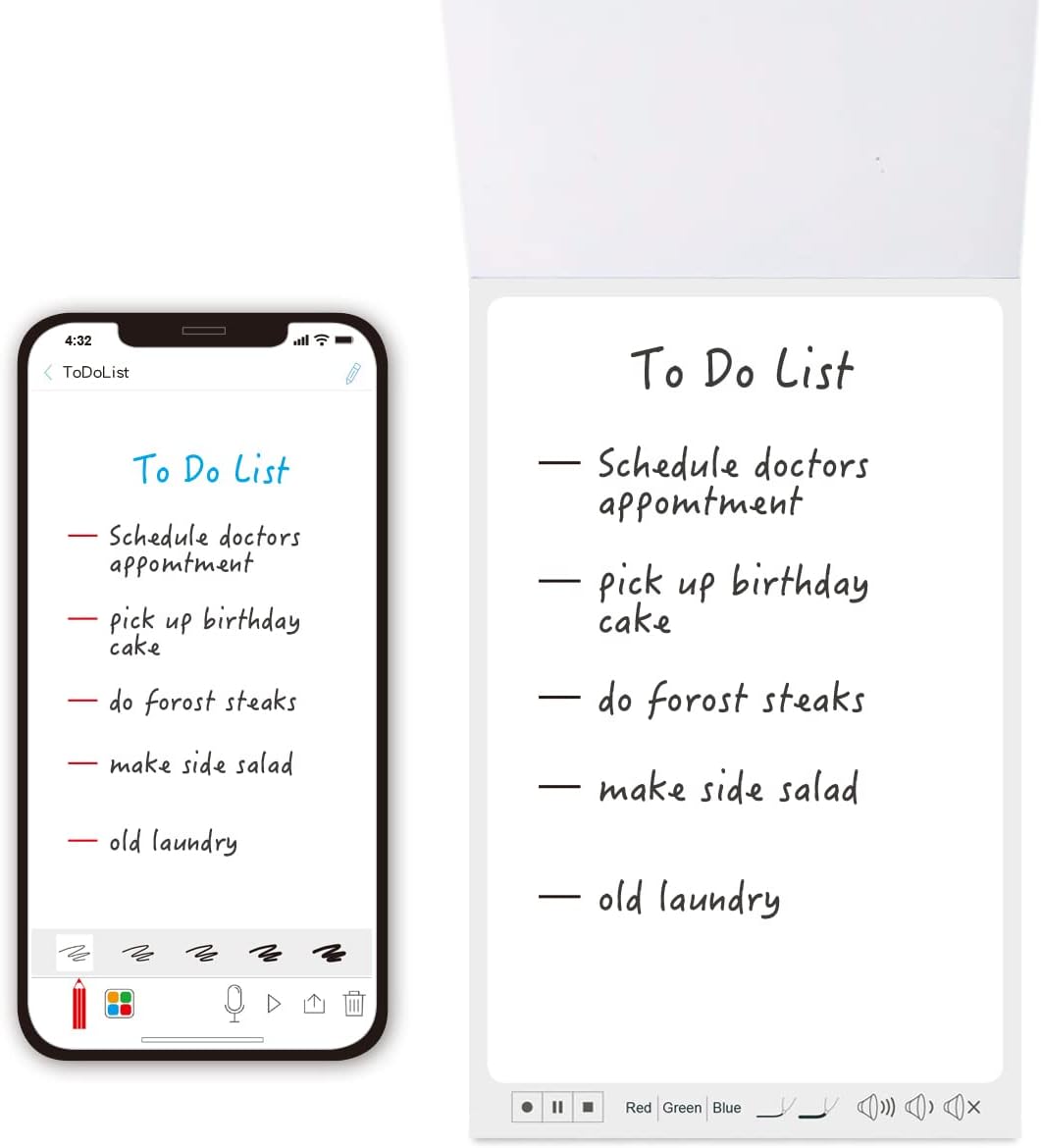
Notes become searchable text
Handwriting appears in the app alongside clean, editable text — free OCR, exportable to Word or PDF. Nothing to scan, photograph, or retype. Everything is backed up automatically.
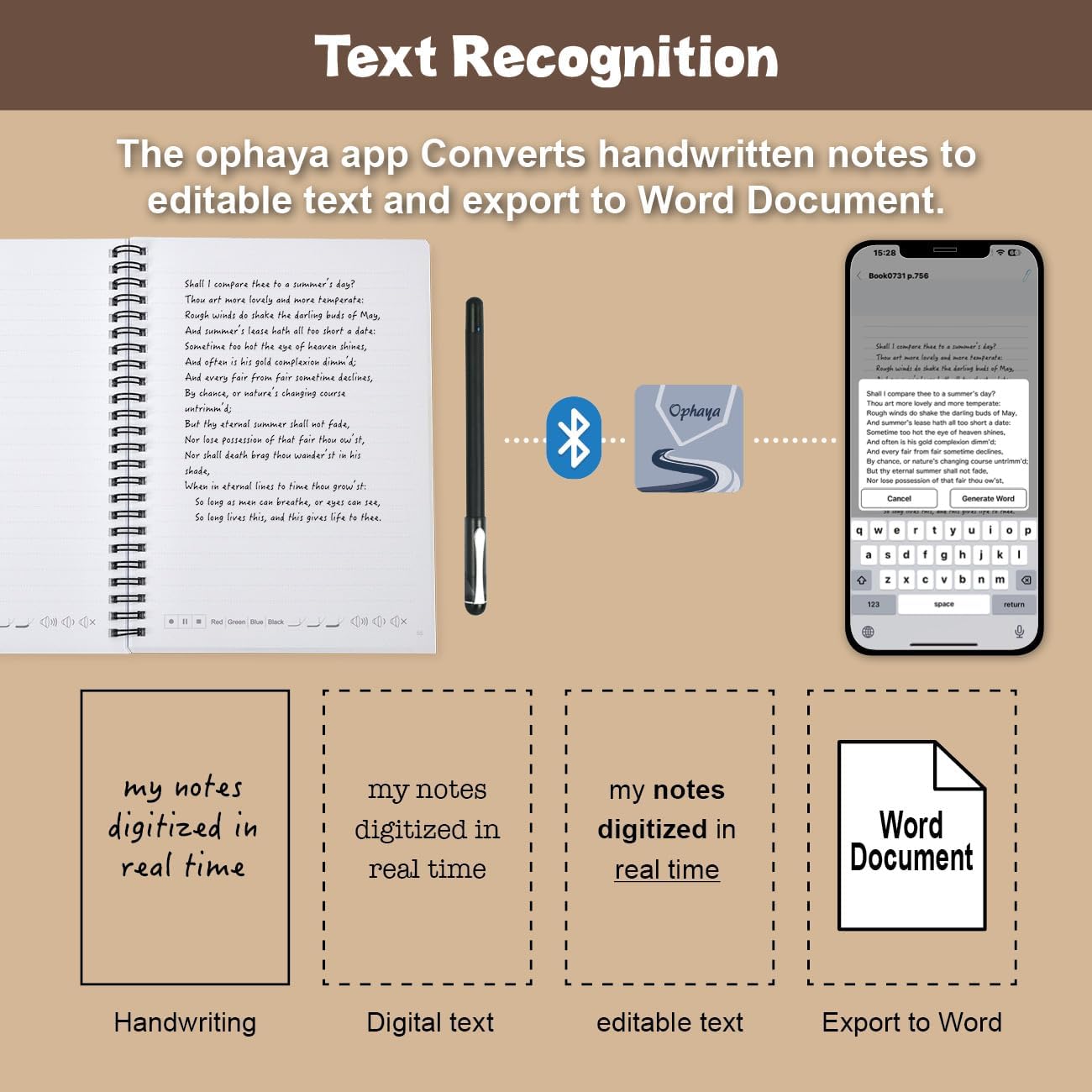
Tap a line, replay the lecture
Tapping any line replays that exact moment of audio. Students review at their own pace, search every notebook by keyword, and study independently — no peer note-taker required.

From verified buyers
“It perfectly captures my messy handwriting and even converts it to text, which is a lifesaver. The audio sync feature is brilliant for lectures — and it works flawlessly offline.”
— Kristopher A., verified buyer“I never looked back at my notes — I just couldn’t find them after, and it stressed me out. With Ophaya it automatically records everything I write during school.”
— AJ, verified buyerBuilt for program budgets
A full academic year, one box
The Smart Pen + 5 Notebooks set ($79.99) covers a heavy course load — pen, five dot-code notebooks, refills.
Twice the students per budget
Complete sets run $69.95–$99.95 — roughly half the cost of comparable audio smart pens.
No subscription, ever
One purchase covers the student's full program — nothing recurring for procurement to renew.
Minutes to deploy
One app (iOS & Android), Bluetooth pairing in minutes, plus guides and videos for students and staff.
Direct student support
We answer student questions within 24 hours on working days — at no cost to your office.
Risk-free pilots
1-year warranty and 30-day free returns — evaluate with one student before committing a program.
Build your budget without waiting.
Per-unit pricing for accessibility offices, AT labs and campus departments. No login, no form, no sales call needed to see it.
| Set | 1–9 | 10–24 | 25–99 | 100+ |
|---|---|---|---|---|
| Pen + Notebook + LCD TabletOPH-3N1 · flagship kit | $99.95 | $89.95 | $79.95 | $69.95 |
| Pen + 10" LCD TabletOPH-PT10 · paperless | $89.95 | $80.95 | $71.95 | $62.95 |
| Pen + Reusable NotebookOPH-PN5 · core set | $85.99 | $76.95 | $68.95 | $59.95 |
| Pen + 5 NotebooksOPH-P5 · a year of paper | $79.99 | $71.95 | $63.95 | $55.95 |
| Pen + Mini NotebookOPH-PM · lowest per seat | $69.95 | $62.95 | $55.95 | $48.95 |
Per unit in USD, before freight. Mixed sets count together — twelve of one and thirteen of another reach the 25-unit tier. There is no minimum: under ten units, order on the site at the listed price and still receive an invoice, W-9 and packing list. A written quote holds for 30 days. Above 500 units, or for a tender or framework agreement, we quote directly.
Start with one student.
Pilot on your evaluation shelf
Order a single student set at the listed price and put it in front of one student for a term. Thirty-day free returns and a one-year warranty either way. If it works, what you spent on the pilot comes off your first volume order placed within 90 days — just reference the pilot order number.
See the student set →Reorders stay on the same account
Refill paper, ink and notebooks reorder against your existing account — no second evaluation, and no fresh purchase order just to buy a box of paper. The app, OCR and audio carry no licence cost and no seat count to manage, so nothing comes back for renewal.
See refills and paper →Volume orders & purchase orders
We accept purchase orders and issue a proforma invoice, W-9 and packing list. Payment by card or ACH in the US, SWIFT wire abroad. Tell us how many students you support and your semester start date — a written quote comes back within one business day. Text (626) 590-0238.
Common questions
Does it need special paper?
How do we pay, and what paperwork do you provide?
How quickly can you deliver?
Can we combine different sets on one purchase order?
Is any of it subscription-gated?
Can students use it without a phone during class?
What devices are supported?
Where is student data stored?
Can we pilot before a larger order?
Let's equip your students.
Email us with the subject “Disability Office Inquiry,” or use our business order form. Text/WhatsApp: +1 (626) 590-0238.